Blog
How to Reduce Fake Leads from Forms (7 Proven Ways)
By LeadFormHub Editorial Team · Published 30 April 2026 · Last updated: 7 June 2026
Workflow + lead ops writers
The LeadFormHub team writes about lead generation, form design, and sales workflow for growing businesses.
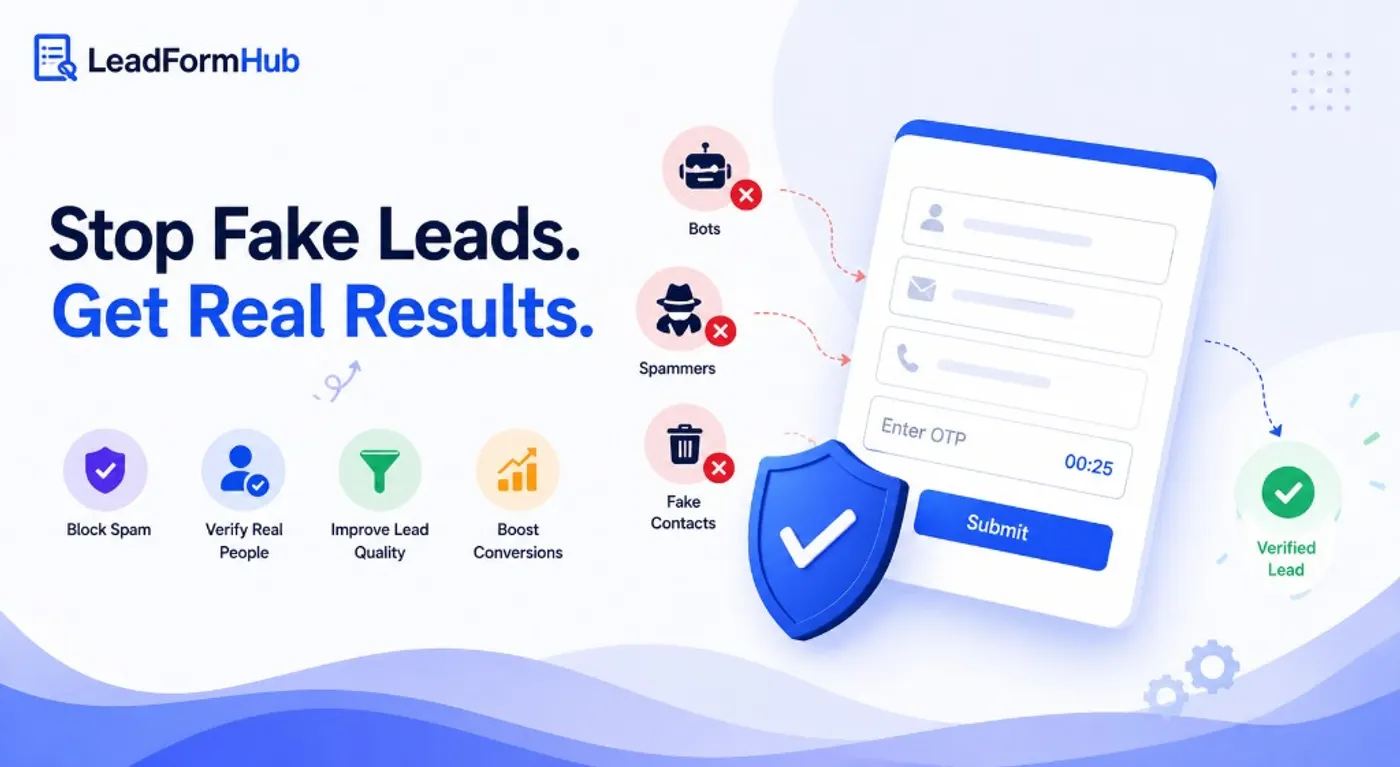
Quick answer: Fake leads come from bots, competitors, and people using throwaway contact details. The fastest fix is OTP phone or email verification — it stops unverifiable submissions before they reach your CRM. Pair it with honeypot fields and smart form design for a layered defence.
You launch a campaign. Leads start coming in. Sales starts calling. Then the reality hits. Half the numbers are wrong. Some leads do not pick up. A few say they never filled your form. Those are fake leads, and they cost time, budget, and morale.
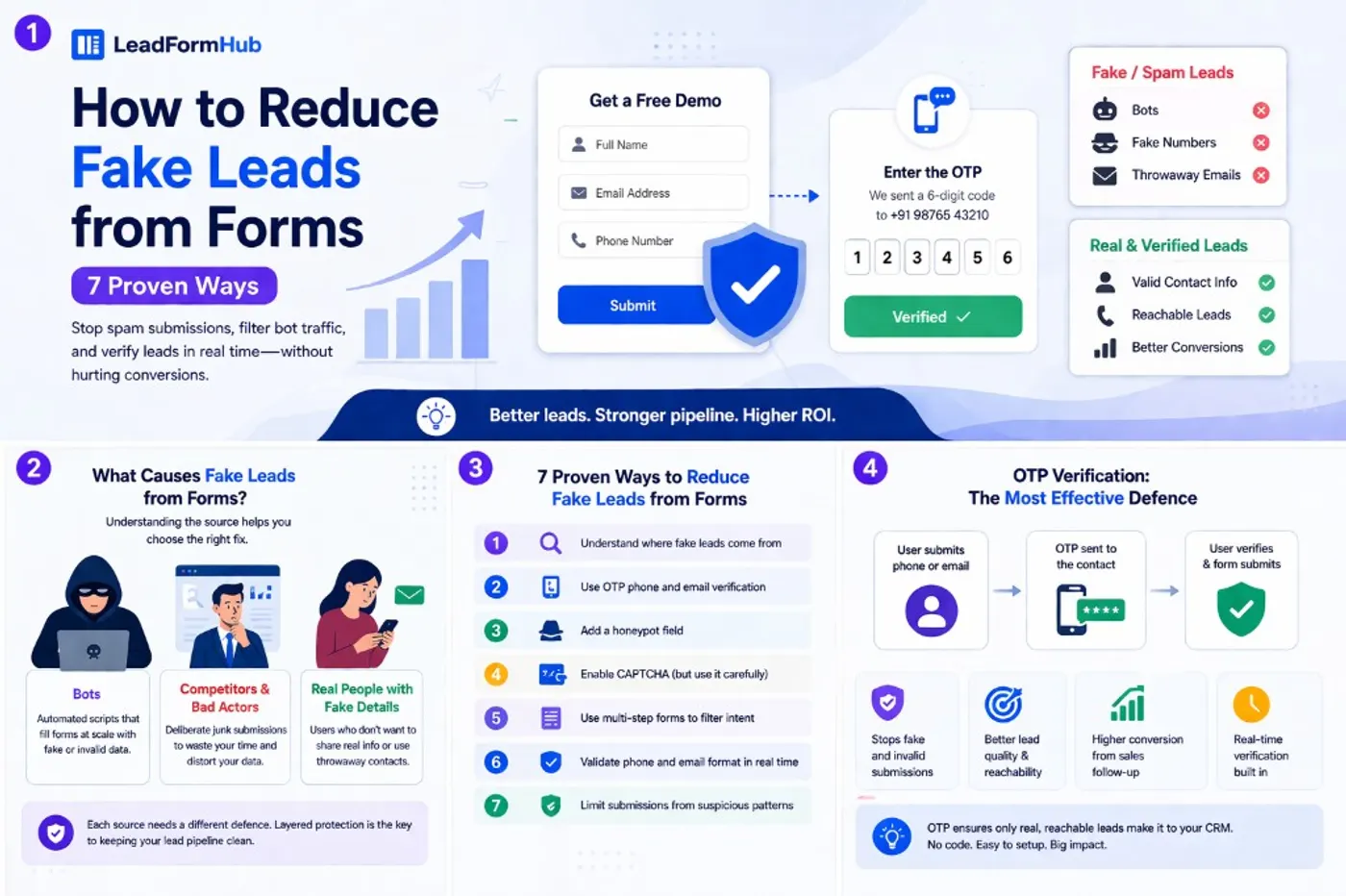
Fake leads usually come from three sources. Bots submit junk at scale. Competitors and bad actors send garbage on purpose. Real visitors sometimes use throwaway contact details when they do not want follow-up.
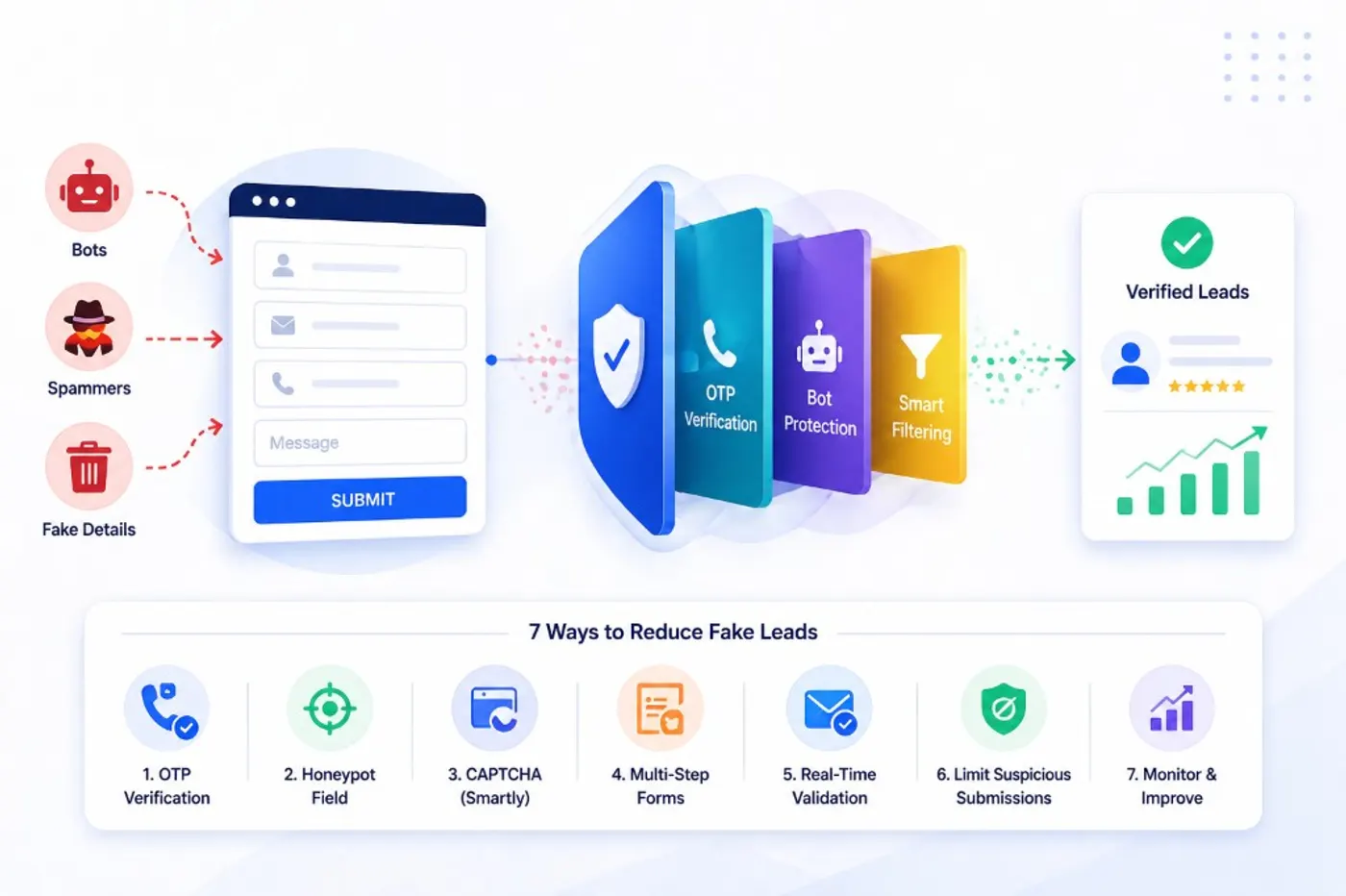
In this guide, you’ll get seven practical ways to reduce fake leads from forms. Most take minutes to set up. Most do not need a developer.
Understand Where Fake Leads Come From
Before you change your form, it helps to name the enemy. Fake leads look the same in your CRM. They do not behave the same.
1) Bots. Bots are automated scripts that fill forms at scale. They submit random names, junk emails, and invalid phone numbers. On an unprotected form, bots cause most spam submissions.
2) Competitors and bad actors. Some fake leads are deliberate. A competitor might flood your form with junk. A bad actor might try to break your reporting. The goal is to waste your team’s time and poison your conversion data.
3) Real people using fake details. This one surprises teams. Someone wants your gated PDF. They do not want a call. So they enter a fake phone number or a disposable inbox and move on.
Each source needs a different defence. Bots need technical barriers. Bad actors need smart friction. Real-but-guarded users need a verification step that confirms you can reach them.
Understanding the source helps you pick the right fix — which is what the next seven sections cover.
Use OTP Phone and Email Verification
If lead quality matters, this is the most effective way to prevent spam leads and reduce fake submissions. It fits best for demo requests, high-value quote forms, and consultation bookings.
OTP means One-Time Password. After a visitor enters their phone number or email, your form sends a unique code to that contact. The visitor must enter that code to complete the submission. If they cannot, the form does not submit.
This is why OTP verification beats CAPTCHA alone. CAPTCHA helps with bots. OTP helps with bots and humans who enter fake details. You end up with only contacts you can actually reach.
- OTP phone verification: The user enters a mobile number, receives an SMS code, and enters the code. Only real, reachable numbers pass through.
- OTP email verification: The user enters an email, receives a code, and enters the code. This removes many disposable and fake addresses.
- When to use which: For sales follow-up forms, phone OTP is ideal. For content downloads and newsletters, email OTP is often enough.
There is a real trade-off. Adding OTP adds one more step. That can reduce raw form submissions. But the leads that do submit are verified and reachable. That is what your sales team needs.
If you worry about drop-off, focus on the experience. Keep the OTP step fast. Tell people why you are asking. A short line like “We’ll text a code to confirm your number” reduces confusion.
- Trigger OTP at the right moment: Ask for the number, then send the code immediately. Do not wait until after a long form.
- Allow resend (with limits): A clear “Resend code” button helps real users. Rate-limit resends to block abuse.
- Keep the message clear: Tell them what happens next. Example: “Enter the 6-digit code we sent to finish.”
- Use OTP only where it pays off: Turn it on for demo and quote forms first. Leave low-stakes forms lighter.
Some form builders include OTP verification natively. Others need third-party tools like Twilio and custom setup. LeadFormHub includes OTP verification as a built-in toggle, so you can turn it on without code or extra accounts.
If you want to see how OTP fits into a full lead capture setup, see our guide to what makes a lead capture form effective.
Add a Honeypot Field
A honeypot is a simple anti-bot trick. It is a hidden field added to your form. Humans never see it. Bots often do.
Many bots read a form’s structure and fill every input they can find. That includes the hidden honeypot field. When a submission arrives with that field filled, you can confidently reject it as automated spam.
The big benefit is that a honeypot is free. It needs no service. It adds zero friction for real visitors because they never interact with it.
The limitation is that smarter bots can sometimes detect and skip honeypots. That is why it works best as a first line of defence. Use it before expensive checks like OTP phone verification.
A simple setup: add a plain text input, give it a boring name like website or company_alt, hide it with CSS (not the HTML hidden attribute), and reject any submission where it contains a value.
Pairing honeypot with OTP is a strong layered defence. Honeypot catches bots. OTP catches fake humans.
Enable CAPTCHA — But Use It Carefully
CAPTCHA is a challenge that humans can solve but most bots cannot. It might be a checkbox. It might be image selection. The goal is simple: stop automated spam at the gate.
CAPTCHA has a cost. It adds friction. Many teams see completion drop after turning it on. A common range is a 5–15% hit in form completion, depending on audience and device.
The best way to use CAPTCHA is as a filter, not a wall. Let most users submit normally. Only challenge or block sessions that look suspicious. That keeps conversion high while cutting bot noise.
If you use it, prefer reCAPTCHA v3. It runs in the background and scores behaviour. Most real users never see puzzles. You can read Google’s documentation here: reCAPTCHA docs.
The key limitation: CAPTCHA can stop bots, but it does not verify contact details. A human can pass CAPTCHA and still enter a fake number. That is why CAPTCHA works best with OTP verification or real-time validation, not alone.
Use CAPTCHA on forms that are public, high-traffic, and already seeing bot volume. Contact forms and demo request forms are common examples.
Use Multi-Step Forms to Filter Intent
Multi-step forms reduce fake leads in two ways. First, many basic bot scripts are built for one screen. When you split the form across steps, bots often fail at the transition.
The bigger win is human filtering. Someone who enters a name and email, then drops at the phone step, is often lower intent. Someone who completes all steps shows commitment. That makes your lead list cleaner without any “security” feel.
Multi-step forms can also lift completion for longer forms. One six-field screen can feel heavy. Two screens of three fields feel manageable. That can increase submissions while still filtering out low-intent visitors.
- Step one: Name and email. Keep it low friction.
- Step two: Phone, company, and qualifying questions.
- Add a progress cue: “Step 1 of 2” reduces anxiety.
- Watch step-two drop-off: Treat it as an audience signal, not only a form issue.
Validate Phone and Email Format in Real Time
Real-time validation checks input as the visitor types. If the email or phone format is wrong, they see a clear error before they hit submit. This reduces mistakes and helps how to stop fake form submissions that come from lazy or rushed inputs.
It blocks a common “fake lead” type. Someone types 1234567890 or test@test just to pass required fields. Real-time checks catch that early.
- Email validation: Require
@, a real domain, and a valid extension. Block obvious placeholders and known disposable domains. - Phone validation: Match the correct digit length for your target country. Reject repeated patterns like 0000000000.
- Disposable inbox filters: Block addresses from known throwaway providers (Mailinator, Guerrilla Mail, and similar).
Format validation checks if the data looks real. It does not prove the lead owns it. For that, use OTP verification. Together, they dramatically reduce fake leads without adding much friction.
Limit Submissions from Suspicious Patterns
Pattern-based rules reduce fake leads without extra steps for most users. They work quietly in the background. They are especially useful when you run ads or get steady bot traffic.
Here are three checks that often deliver the biggest impact.
- Rate limiting. If the same IP submits your form more than twice in five minutes, block or flag the third. Real visitors rarely submit the same form repeatedly. This helps against flooding from competitors.
- Geo-filtering. If you only serve one country or region, restrict submissions to that area. A local plumbing company in Manchester does not need leads from Indonesia. Geo rules reduce bot traffic and bad-fit traffic at once.
- Submission timing. Bots often submit in under two seconds. If a form is submitted in less than three seconds from page load, treat it as suspicious. Flag it for review before it reaches your CRM.
Start with conservative thresholds. Then tune based on what you see. For example, you might allow higher limits on a public newsletter form. You might be strict on a “Book a call” form.
Also decide what “block” means for your team. Many businesses do better with flagging first. Send flagged leads to a review queue. Or tag them in your CRM. That way you do not lose edge-case real leads.
These are backend rules, and not all form builders support them. If your current tool cannot rate limit or geo-filter, it may be worth switching. This matters even more when you pay for clicks.
Putting It Together — A Simple Layered Defence
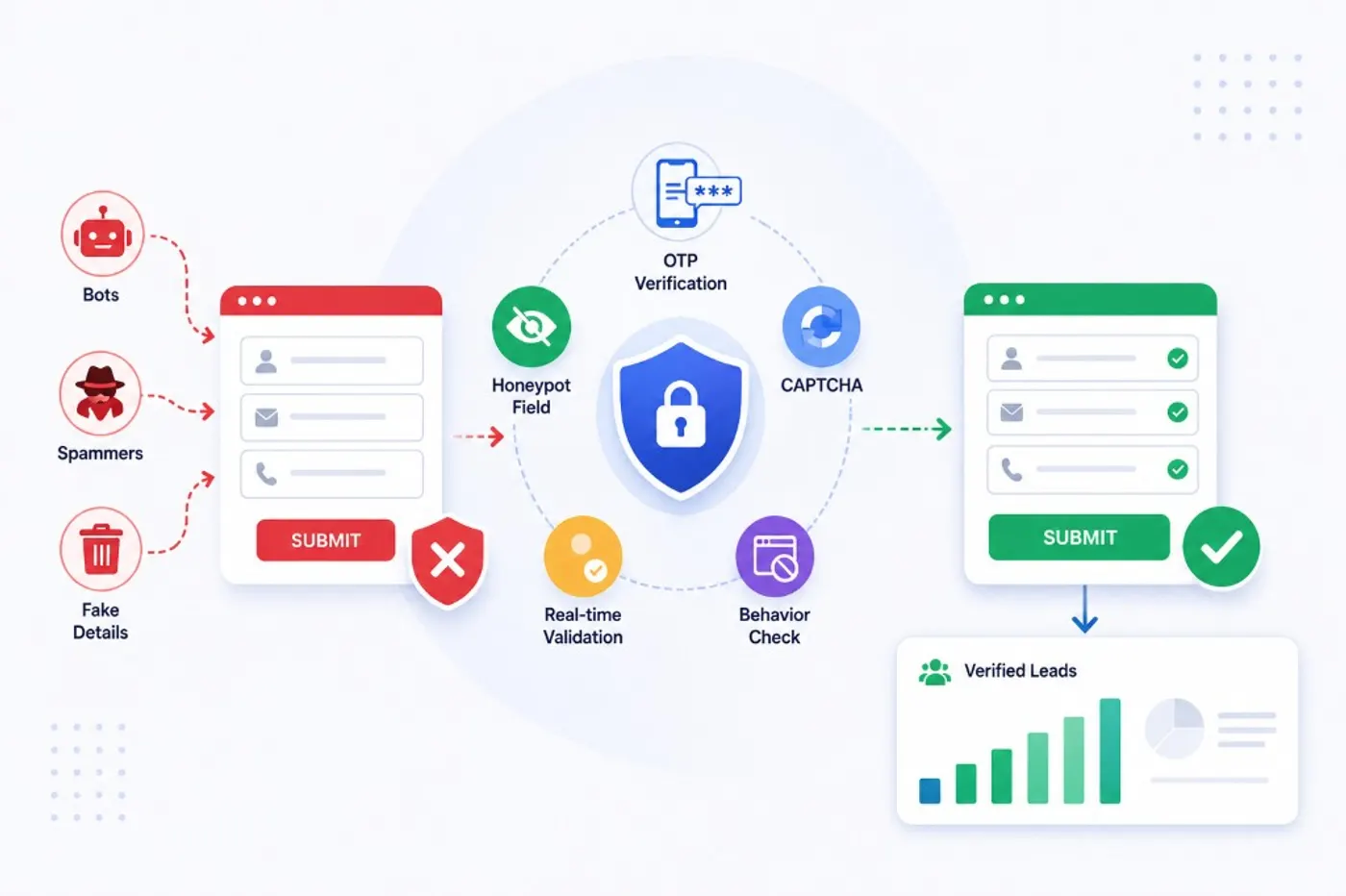
You do not need every method. You need a simple system. Start with zero-friction checks, then add verification where lead value is high.
A practical tiered setup
- Tier 1 — always on: Honeypot field + real-time format validation. Zero friction. Catches most basic bots and sloppy inputs.
- Tier 2 — for high-value forms: Add OTP phone or email verification. Eliminates unverifiable contacts. Expect slightly lower volume and much higher lead quality.
- Tier 3 — for high-traffic or paid campaigns: Add reCAPTCHA v3 + rate limiting + geo-filtering. This helps prevent spam leads and blocks repeat attacks.
You do not have to choose between quality and volume. With the right setup, you get fewer fake leads without pushing away real buyers.
If you want a form builder where Tier 1 and Tier 2 are already built in — no plugins and no third-party accounts — LeadFormHub includes honeypot protection, real-time validation, and OTP verification in one platform.
If you’re comparing options, start with the basics: can it verify leads, not just collect them? If you want a free lead generation form builder, you can build your first form and turn on verification from your dashboard.
Frequently Asked Questions
Why am I getting so many fake leads from my contact form?
Most fake leads come from bots — automated scripts that fill in forms at scale. Others come from real people who use throwaway contact details to get access to gated content without being followed up. A honeypot field stops most bots. OTP verification stops fake human submissions.
Does CAPTCHA stop fake leads?
CAPTCHA stops bots from submitting your form, but it does not verify that the contact details the person enters are real. Someone can pass a CAPTCHA and still give a fake phone number. Use CAPTCHA alongside OTP verification or real-time format validation for better results.
What is OTP verification on a lead form?
OTP stands for One-Time Password. When a user enters their phone number or email, the form sends a unique code to that contact. The user must enter the code to complete the submission. This ensures every lead in your CRM has a verified, reachable contact detail.
Will adding OTP verification hurt my conversion rate?
It will reduce your total submission volume slightly. But the leads you do capture are verified and reachable. For most teams, fewer high-quality leads are more valuable than more unverifiable ones — especially if your sales team is wasting time on dead phone numbers.
How do I stop competitor spam on my lead forms?
Competitors flooding your forms with junk submissions are best stopped with a combination of rate limiting (blocking repeated submissions from the same IP), geo-filtering (restricting forms to your target regions), and OTP verification (which requires a real, working phone number or email to complete).
Conclusion
Fake leads are a solvable problem. The right mix of honeypot fields, real-time validation, and OTP verification can dramatically improve lead quality without killing conversion rate.
Start with Tier 1 today: honeypot and format validation. If you run paid campaigns or book high-value demos, add OTP verification for the forms where lead quality matters most.
To see how a well-built form fits into your full lead capture process, read our guides on lead capture forms, high-converting form fields, and form builders with verification built in.
LeadFormHub includes OTP verification, honeypot protection, and real-time validation built in. You can enable them from your dashboard — no developer or third-party account needed. Try it free at leadformhub.com.
LeadFormHub has built-in fake lead filtering. See all features in our lead generation form builder guide or compare it to Typeform and Google Forms.
Get Started with LeadFormHub Today
Secure sign-up · Your data is protected with SSL encryption.